For years, AI in geospatial mostly meant computer vision: object detection, land-use classification, pulling insight out of satellite imagery. Useful, but narrow, and almost always the domain of specialists.
We have been working on a different question. What if you could describe what you want in plain language, and the platform did the GIS work behind it?
Today we are releasing GIS Cloud AI to everyone. It is the biggest change to how people use GIS Cloud since we first put the map editor in the browser, and it runs across the whole platform, from capturing data in the field to building the maps, analysis, apps, and reports you make decisions with.
It is not a single chatbot bolted onto the side of the app. It is a set of capabilities, each aimed at a different part of the everyday work, and all built on the same rule: the AI proposes, and you confirm. Nothing is saved until you say so.
Ask AI: work with your data in plain language
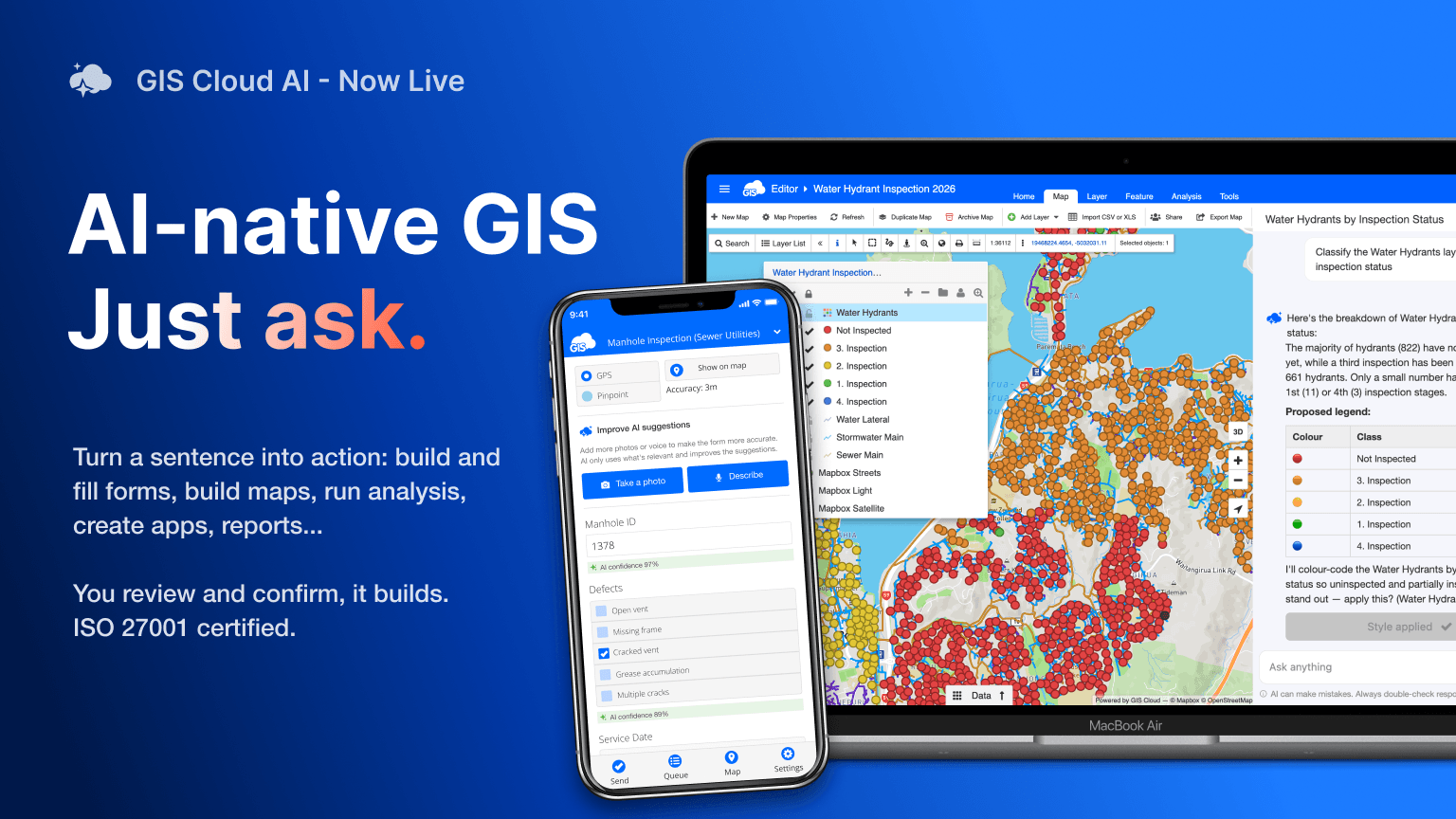
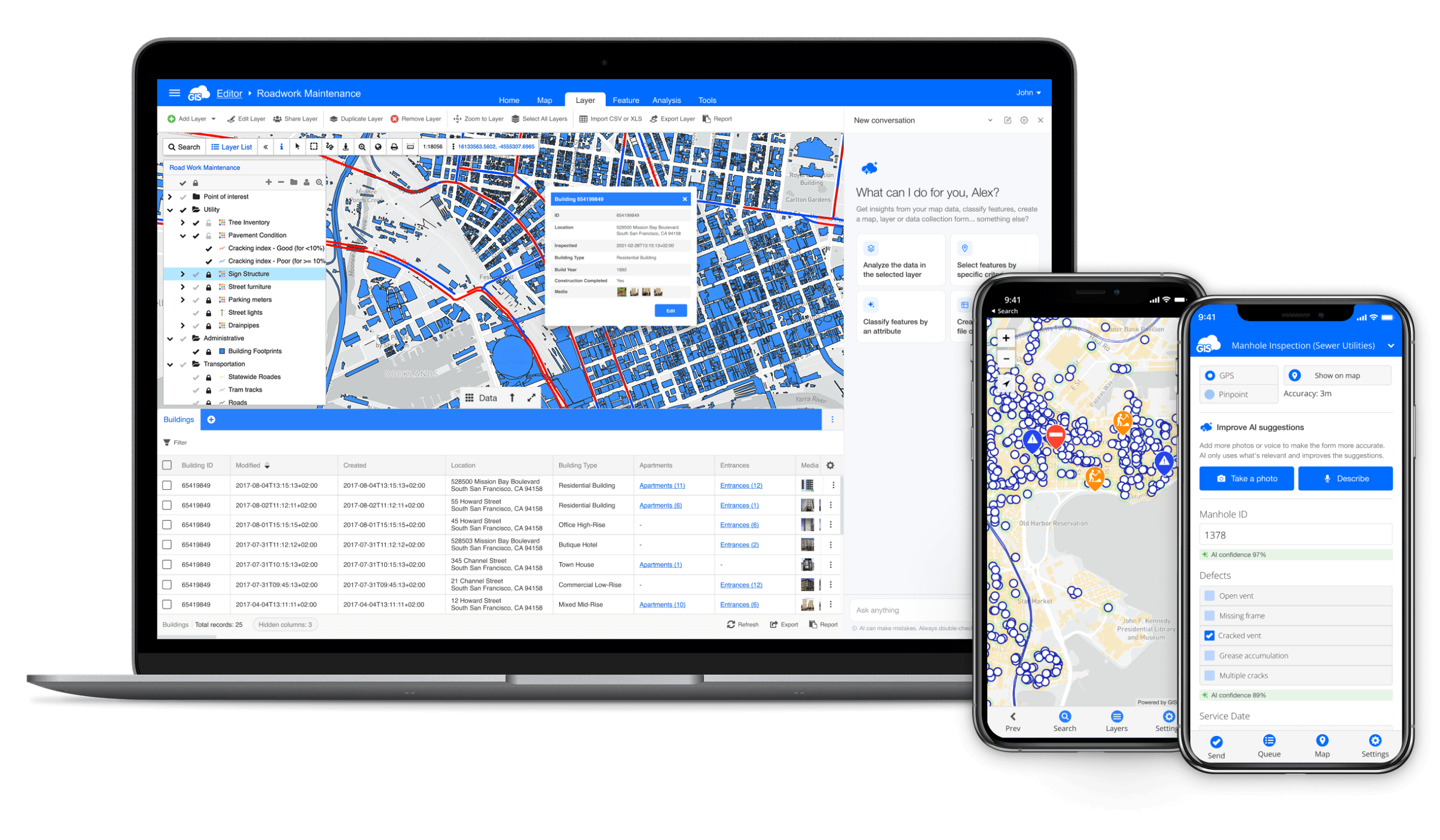
Open the assistant where you already work, in the Map Editor, Viewer, Contributor, the Mobile Data Collection app, or Manager, and ask in your own words. Count features, filter by attribute, compare across layers, select features on the map, classify by a value, create a map, build a layer. You can ask across several layers and maps in one conversation, and a single request can chain steps: create a map, add a layer, classify by status, then build a form and link it.
Type or speak, in any language, and it answers in the one you used. It proposes the action and shows you what it will do. You confirm before anything is saved.
AI Form Builder: describe what you need to capture
Tell the AI what a project needs to collect, for mobile or office, and it builds the form: the fields, the types, the structure. It suggests fields you might have missed, and it can improve forms you already have. The form you would have spent an afternoon configuring takes a sentence.
AI Form Fill: from a photo or your voice to a filled form
Stop typing what you can already see. Point your camera at an asset, and AI Form Fill understands what it is looking at, the asset itself and the situation around it, and drafts the whole form against the fields and structure you have defined. It can identify the object and its type, read a condition or state, write a descriptive note, and pull out the specific details your form asks for, mapping each one to the right field. Every value comes with a confidence level, so you know at a glance what to trust and what to check.
Prefer to talk? Describe what you are looking at and it does the same from your words. Every extra photo or sentence sharpens the result.
You review, edit, or revert before saving. Nothing is stored automatically. It works in the Mobile Data Collection app for field crews and in the web Map Editor for the office, including bulk updates across many records.
AI App Builder: describe an app, get an app
Describe the app you need, a reporting app, a monitoring dashboard, a city portal, and AI App Builder generates it, then lets you refine it through conversation: change a chart to a map, add a date filter, adjust the layout. Generated apps can include a branded PDF report export. No code, and no separate publishing step.
MCP Integration: bring your own AI
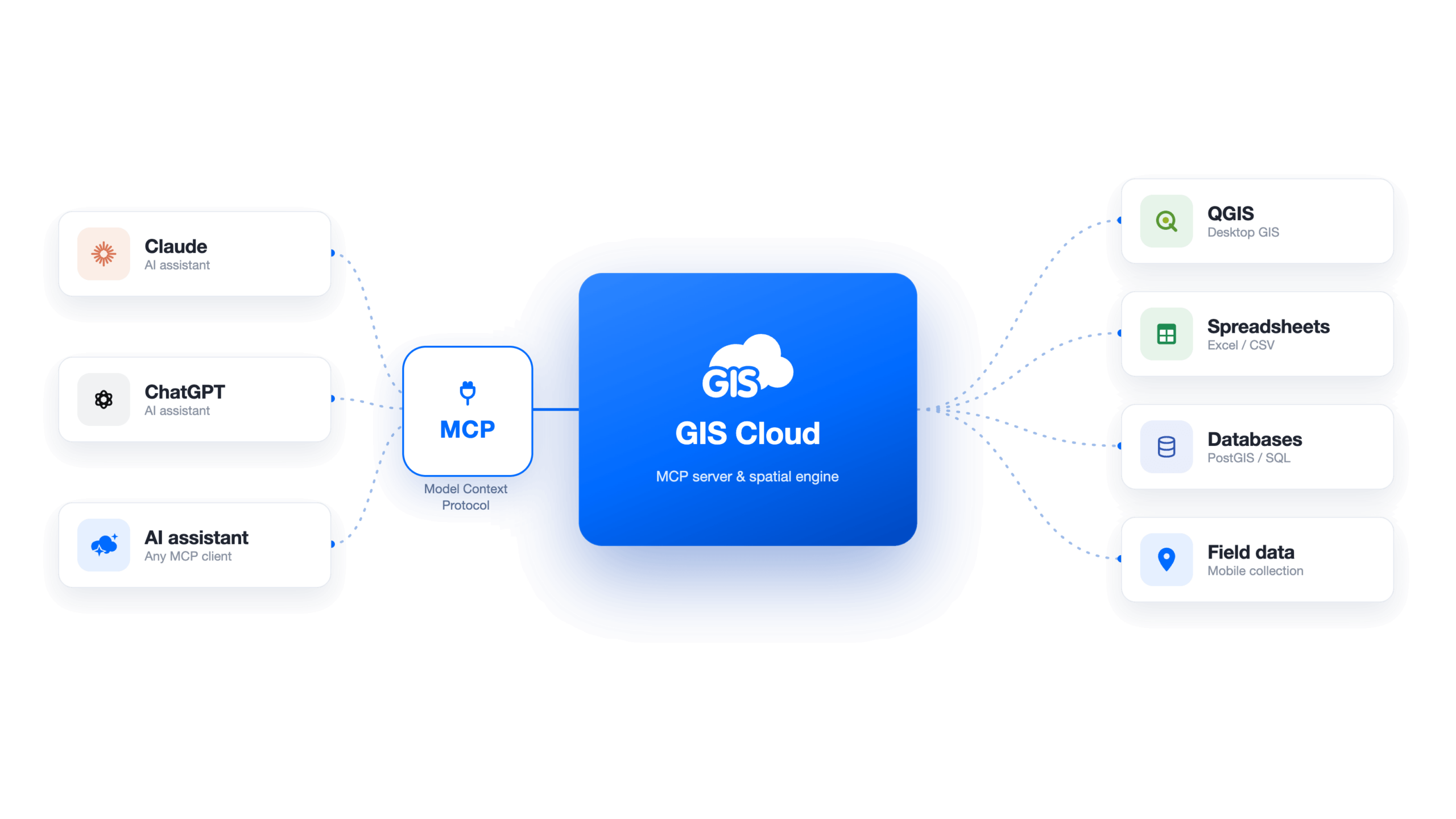
Already work inside an AI assistant? GIS Cloud supports the Model Context Protocol, the open standard that lets AI clients connect to external tools and data. Connect a client such as Claude or ChatGPT to your GIS Cloud data through 55 tools, and work with maps, layers, features, queries, forms, and files directly from the assistant. You control exactly what each client can access, and writes are previewed and confirmed before they run.
Built to be trusted
Every value and action above is a proposal you review before it is saved. That human-in-the-loop model is a deliberate design choice, not an afterthought, and it matters most in GIS, where a wrong edit can ripple straight into a live operational system.
AI also raises a fair question, especially for larger organizations: where does my data go? GIS Cloud AI is powered by Anthropic’s Claude, used under strict data-protection terms, and your data is never used to train anyone’s models. For organizations with stricter requirements, other models are available on demand, including self-hosted ones inside your own environment, alongside EU data residency and on-premises options. GIS Cloud is ISO 27001 certified (November 2025). You decide whether to use GIS Cloud AI, and you control whether the third-party users you share data with can use it on your data. That access is off by default.
We wrote separately about why we designed it this way, including what the certification means for you. Read more on our security and trust page.
It does not replace expertise, it removes the bottleneck
For a long time, too much depended on a handful of specialists. Every map, every query, every report routed through the same few people. GIS Cloud AI changes that without changing who is in charge.
GIS expertise still matters, and the people who have it still set the standards and have the final say. What changes is that the routine work stops queuing behind them. Experienced users go faster because they are not buried in everyday requests, and more of the team can do the simpler things themselves, in plain language. The expert reviews and confirms; the AI does the legwork.
Available today
GIS Cloud AI is available now to everyone, included in your subscription with fair use applied. Open any map, look for Ask AI, and start a conversation.
If you would like a walkthrough for your team, get in touch. We are happy to show you how it fits your workflow, and we would genuinely like to hear what works and what does not, so we can make it better with you.